
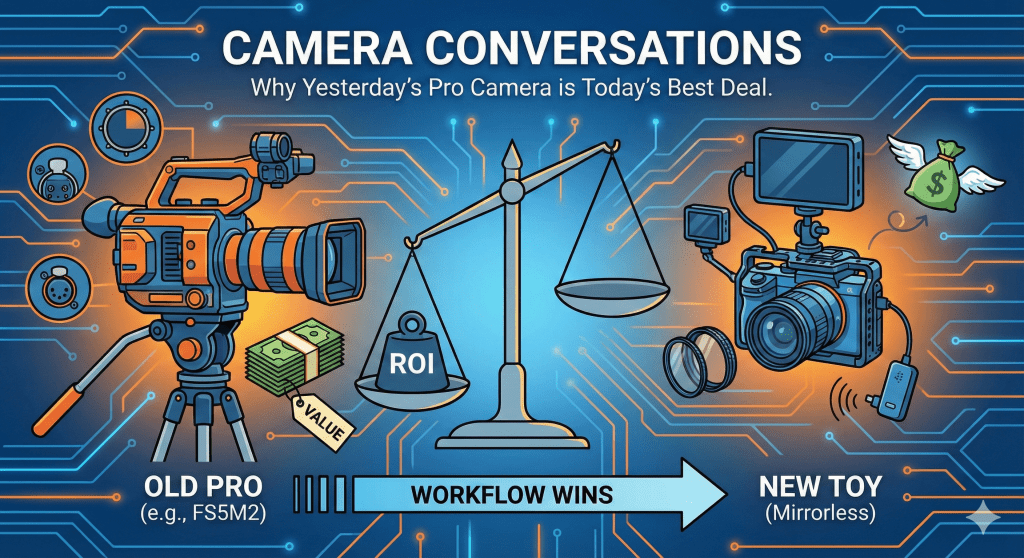
Stop chasing the specs. Seriously. Put down the credit card and close the tab with the 8K mirrorless pre-order.
It’s 2026, and the camera industry has done an incredible job convincing us that gear has an expiration date—that a professional camera released five years ago is suddenly incapable of producing a beautiful image today. They want you to believe the workhorses of the last decade are obsolete trash fit only for a museum.
But here is a truth the marketing machine hates: Great images don’t have an expiration date.
While everyone is fighting over the newest AI-driven hybrid toys, there is a quiet market segment offering incredible value for filmmakers willing to look backward. I’m talking about older, dedicated cinema cameras—workhorses like the Sony FS5M2 (Mark II), the Canon C300 Mark II, or older Blackmagic bodies.
The “CineBack” Philosophy: A Modern Bridge
The industry is actually seeing a massive shift back toward this “all-in-one” cinema ergonomics. Caleb Pike (DSLR Video Shooter) and his company, Camera Foundry, have built a business around this very idea. Their “CineBack” systems are designed specifically to turn small, modern mirrorless cameras into the “box” cinema bodies of the past.
By the time you buy a CineBack, a V-mount battery, and the modules to make a mirrorless camera feel like a cinema body, you’ve essentially spent enough to have bought a used FS5M2 in the first place. Caleb Pike’s success proves there is a deep, professional hunger for the ergonomics that “old” cameras already have built-in. Why build a bridge when you can just buy the destination?
The “Write-Off” Myth: Why New Isn’t Always Free
A common argument for buying the latest $6,000 body is: “It’s a business expense; I’ll just write it off.” As a freelancer, look closer at the math. A tax write-off doesn’t make the camera free; it just means you don’t pay taxes on the money you spent. If you are in a 30% tax bracket, that $6,000 camera still costs you $4,200 out of pocket.
More importantly, depreciation is a real cost. A brand-new camera loses 30-40% of its value the moment you take it out of the box. An “old pro” bought secondhand has already hit its floor. You can use it for two years and likely sell it for almost what you paid. When you factor in the “lost” money of depreciation, the older camera isn’t just cheaper—it’s a vastly better investment for your business’s bottom line.
Beyond the Numbers: The Artistic Intent
However, this isn’t just a conversation about Return on Investment (ROI). Sometimes, we choose an older body and lens for the pure sake of art.
Modern cameras are often sharp to a fault. They are clinically perfect, which can lead to a sterile, “video-y” look. Older sensors, like the ones in the FS5M2 or the original Alexa, have a different texture. They handle highlights differently. When you pair an older cinema body with vintage glass, you aren’t fighting the camera to get a “look”—the camera is providing the look.
Choosing a “slower” camera forces you to be a more intentional creator. Without 24/7 AI-autofocus, you have to choose what is in focus. Without 120fps on every setting, you have to choose your movement. There is a meditative joy in using a tool that doesn’t do everything for you, allowing your artistic voice to be heard above the sound of the processor.
The Reality Check
I’m not wearing rose-colored glasses. Using an eight-year-old camera in 2026 comes with trade-offs:
• Manual Focus is a Must: The AF is vintage. You need to pull focus yourself.
• Size and Weight: These don’t fit in a jacket pocket; you’ll need a proper bag and a sturdy tripod.
• The “Look At Me” Factor: You look like a professional film crew. This is great for client confidence, but bad for stealthy street shooting.
The Verdict
Right now, you can find a mint-condition Sony FS5M2—a camera that originally cost $5,000—for a fraction of that price. For that investment, you get a complete filmmaking package: electronic NDs, XLR audio, and SDI outputs.
The newest gear is exciting. But a paid-off, reliable professional tool that yields a beautiful, character-filled image? That’s not just smart business—that’s a smart creative choice. Before you finance the latest hype-machine, take a look at the legends of the last decade.
Secondhand Cinema Camera Checklist
1. Sensor and ND Filters
• Electronic ND: Test the ND dial from its lowest to highest setting. Ensure the transition is seamless without flickering or uneven tinting.
• Sensor Inspection: Use a flashlight to inspect the sensor at an angle. Check for scratches, cleaning marks, or dust behind the glass.
• Dead Pixel/Laser Check: Record a short clip with the lens cap on at a high ISO. Review the footage for bright lines or dots that indicate sensor damage.
2. Ports and Connectivity
• SDI and HDMI: Connect the camera to an external monitor. Gently wiggle the cable to ensure the port is tight and the signal does not drop.
• XLR Audio: Plug in a microphone and test both inputs with phantom power (+48V) enabled. Check for static or humming when adjusting the gain dials.
• Lens Mount: Attach a lens and check for any physical play or wobbling. Ensure electronic communication with the lens is consistent.
3. Operation and Usage
• Operating Hours: Check the internal menu for the total operation time.
• Under 500 hours: Very light use.
• 500 to 1,500 hours: Standard professional use.
• Over 2,500 hours: High mileage; inspect mechanical parts more closely.
• Button Response: Verify that the record button, menu joystick, and custom function buttons click firmly and respond immediately.
4. Physical Condition and Cooling
• Internal Fan: Let the camera run for at least 15 minutes. Listen for grinding, clicking, or high-pitched whines from the cooling fan.
• Screw Heads: Inspect the screws on the camera body. Stripped or scratched heads often indicate the camera has been opened for third-party repairs.
• Tripod Threads: Ensure the mounting threads on the bottom of the camera are not cross-threaded or stripped.
5. Essential Accessories
• Original Components: Confirm the inclusion of the proprietary top handle and the LCD viewfinder/monitor.
• Replacement Cost Warning: Be aware that replacing a missing proprietary handle or monitor can cost hundreds of dollars, often negating the savings of a “body only” deal.
As always: make sure you understand the equipment you are buying, especially secondhand. This guide is nothing more than inspiration and should be read and used as such.

Plaats een reactie